

An AI chatbot for WordPress helps your website answer visitor questions. It can even provide instant support and capture leads without any manual effort.
But with the availability of so many AI-powered chatbot for WordPress sites, picking the right one can be confusing. No worries, SiteSaga is here to the rescue!
We tested several popular AI chatbot plugins for WordPress to check their performance, usability, and functionality. Accordingly, we considered the quality of the chatbot experience, AI capabilities, pricing, customization options, etc.
This article compares the best AI chatbot plugins for WordPress that are handpicked after a careful review. These plugins serve different purposes.
Keep reading to find their features and pricing. Based on what each plugin is best for, choose the one that fits your website and budget. So, let’s get started!
Best AI Chatbot Plugins for WordPress at a Glance
| AI Chatbot Plugin | Free / Freemium / Premium | Starting Premium Price | Supported AI Models | Use Cases | Our Rating |
| Hyve | Freemium | $79 | OpenAI GPT models | Website knowledge-base chatbot | 4.7/5 |
| WPBot | Freemium | $39/year | OpenAI, Gemini, Claude, Grok, DeepSeek, Mistral, OpenRouter, and more | AI support and lead-generation chatbot | 4.8/5 |
| AI Engine | Freemium | $79/year | OpenAI, Claude, Gemini, Mistral, Perplexity, OpenRouter, and more | Custom AI assistants and content tools | 4.8/5 |
| Boei | Freemium | $19/mo billed annually | OpenAI GPT, Claude, Gemini, Mistral | Customer support and lead capture | 4.6/5 |
| Chatway Live Chat | Freemium | $24/mo billed yearly | Chatway AI | Live chat and AI customer support | 4.6/5 |
| MxChat | Freemium | $69.97 | 100+ models, like OpenAI, Claude, Gemini, Grok, DeepSeek, etc. | Chatbot for websites and WooCommerce | 4.8/5 |
| Tidio Live Chat | Freemium | $24.17/mo | Lyro AI | Customer service and automated sales | 4.6/5 |
Are AI Chatbots Worth Adding to Your WordPress Website?
The direct answer is yes!
An AI chatbot does more than just add a chat box to your WordPress website. If you configure it properly, then it can handle common questions, guide your visitors, and support your business. All of these can minimize your workload.

Have a look at each use case of different AI chatbots in detail. Then, understand the worthiness of adding one to your website. Let’s go!
- 24/7 Visitor Support: AI chatbots can answer visitors’ questions at any time. This lets your business stay connected even excluding business hours.
- Answering FAQs: These tools can answer FAQs about your products, services, and pricing. So, your visitors don’t have to search for it themselves.
- Lead Generation: Chatbots can ask qualifying questions, collect contact details (leads), and guide potential customers toward an enquiry or booking.
- Minimize Repetitive Support Questions: You can focus more on complex user requests, while the chatbot can answer the same basic questions.
- Improving User Experience: Quick, conversational answers can help visitors find information faster and move through your site with less friction.
Adding a chatbot is the first step. You need to set up its knowledge base, prompts, appearance, integrations, and responses. Then, update it as your content changes.
Understand that some plugins offer free plans. If you want advanced AI models, higher usage limits, and automation features, then you require a paid subscription.
But chatbots may generate incorrect or misleading responses due to poorly configured knowledge sources. So, it’s not just crucial to always test and monitor, but also to ensure the chatbot doesn’t create AI hallucinations or incorrect answers.
7 Best AI Chatbot Plugins for WordPress
After testing and carefully reviewing the tools available, here are the top 7 best AI chatbot plugins for WordPress. We made sure to list plugins that are easily usable and offer a great user experience. Hope you’d like them, too. So, let’s dive into it!
1. Hyve
Hyve by Themeisle is the first WordPress AI chatbot plugin on this list. This plugin lets you create an AI chatbot by training it on your site, custom content, and any other knowledge sources.
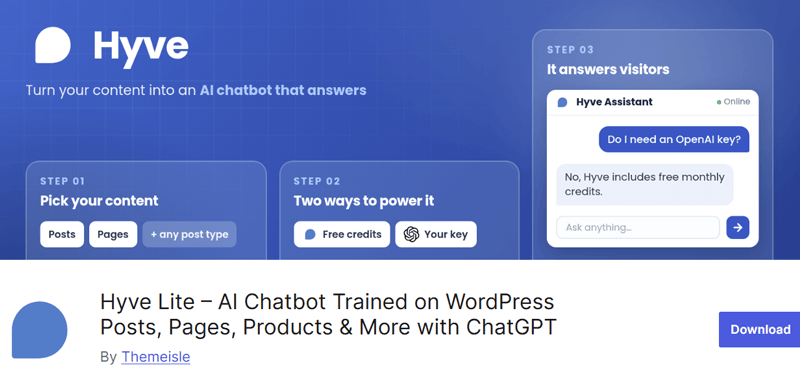
Just import your WordPress website, a URL, or a sitemap. Then, choose to automatically sync certain posts, pages, and custom post types. You can also add PDFs, Word documents, text, CSV files, or custom data to your knowledge base.
Further, you don’t have to worry about its answers. This AI chatbot offers source links on every answer that let visitors trust the details. In fact, it also gives smart follow-up questions to only answer from your content without hallucinations.
Key Features:
- Lets you easily configure the tone, personality, and boundaries of Hyve.
- Also, you can customize the colors, icons, and placements of the widget.
- Ability to check unanswered questions to let you improve your content.
- Tigger chatbot as per your specified time, scroll depth, or exit intent.
- It allows your shoppers to find products by keyword, category, or price.
- Your customers can get details about your products and orders.
Pros:
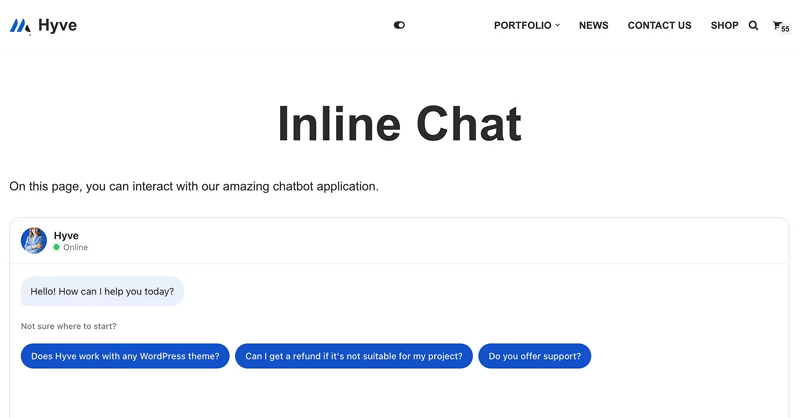
- You don’t require an OpenAI account, API key, or any complex setup.
- Free to start by using hosted AI credits. Only connect your OpenAI key for more usage needs.
- Simple to set up even if you’re a non-technical user.
Cons:
- The premium version is relatively more expensive than its competitors.
- Supports OpenAI-based AI models only.
Pricing:
Hyve is a freemium WordPress AI chatbot plugin. Meaning, you can find both free and premium versions. The free plugin is available to download on the WordPress.org plugin directory. Otherwise, install the plugin on the dashboard.
If you want all advanced features, then check out these premium pricing options:
- Personal: $79 for lifetime, all features, priority support, and 1 site license.
- Growth: $149 for lifetime, all features, priority support, and 5 site licenses.
- Agency: $279 for lifetime, all features, priority support, and 50 site licenses.
2. WPBot
Another growing AI chatbot for WordPress websites that offers multiple business opportunities is WPBot. More than just a usual AI chatbot, this WordPress plugin guides your site in lead generation, conversions, customer support, and whatnot.
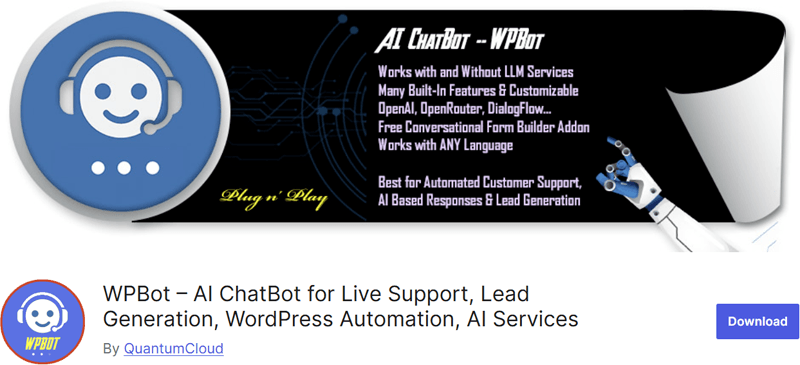
In fact, it lets you offer AI chatbot services with integration of LLMs, such as OpenAI and Gemini. Plus, you’ll also find some built-in features, including live chat, chat histories, conversational forms, and webhooks.
Further, you can trigger intents through the start menu, conversational forms, text responses, or typed chatbot commands. Its response can be through text, forms, FAQs, site search, email, newsletter subscriptions, and more. Learn more below!
Key Features:
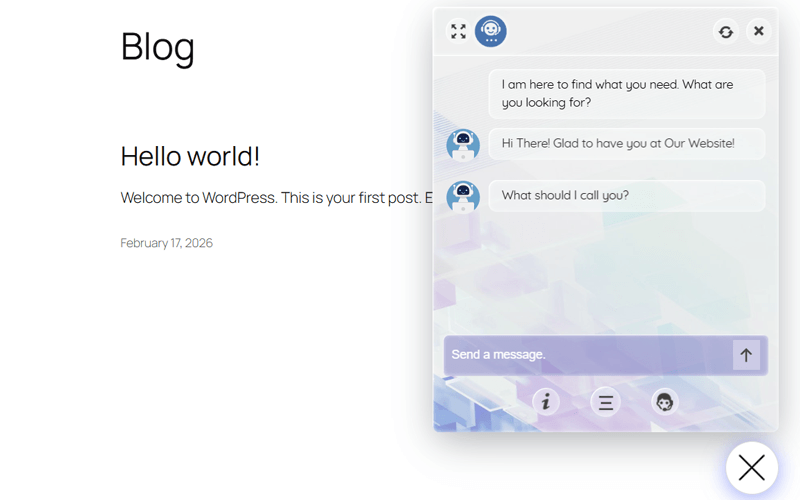
- The start menu feature lets your users find more options. For example, you can offer the ‘Show Start Menu after Greetings’ option to trigger this event.
- Multiple configuration options, including icons, themes, FAQ builder, etc.
- Lets you provide simple text-based responses to questions and keywords.
- Build standard or dynamic forms with calculators, bookings, and conditions.
- Includes retargeting features for exit intent, scroll intent, checkout, etc.
- Supports DialogFlow for customer support and OpenAI for generic queries.
Pros:
- Enabling the multilingual module lets you use the chatbot in any language.
- Flexible for both AI and non-AI chatbot setups.
- Offers a setup wizard to ease the configuration process.
Cons:
- Some advanced functionality requires paid add-ons.
- Enhancements essential on its performance, security, and integration.
Pricing:
WPBot is also a freemium AI-powered WordPress chatbot plugin. Just download the plugin from WordPress.org and upload it to your website. Another way is to simply install the plugin right inside the admin area.
The free plugin may not have all the features you hope for. In that case, here are its premium plans with exclusive features at an affordable price:
- Starter: $39/year, $149 for lifetime, 1 site, chat sessions, and more.
- Professional: $99/year, $279 for lifetime, 2 sites, WooCommerce module, Starter plan features, etc.
- Master: $189/year, $369 for lifetime, 5 sites, social media integration modules, Professional plan features, and more.
3. AI Engine
AI Engine is one of the most popular and best AI chatbots for WordPress. Right now, it has 100,000+ active installations on WordPress.org. Its popularity is also because it’s a complete AI toolkit with many more features than just a chatbot.
In fact, this AI chatbot can intelligently answer from your content. It also offers customizable themes to let it look as per your brand. Plus, it supports voice chat, file uploads, and persistent memory.
Further, it even runs based on any model of your choice. For example, Claude, Gemini, OpenAI, Mistral, Perplexity, OpenRouter, etc.
Key Features:
- It can convert your site into an MCP (Model Context Protocol) server. This lets the AI models manage your WordPress website via plain conversation.
- Lets you build knowledge bases based on your content and PDFs. This helps your AI chatbot to offer semantic search and smart recommendations.
- Supports AI forms with text, image, audio, conditions, and file uploads.
- Provides an AI chat app, a workspace right inside the WordPress dashboard for mobile devices.
- Generates content, translates text, and creates media from prompts. Let’s say Copilot integration. It can correct, improve, translate, or rewrite content.
Pros:
- You can change the choice of your AI model anytime as per your needs.
- It has a perfect 4.9/5 star rating as per 850+ user reviews.
- Extensive documentation and active community support.
Cons:
- The dashboard with many features may be overwhelming for starters.
- It relies on external AI provider APIs that have their own costs or limits.
Pricing:
There are both free and premium versions of AI Engine. If the free features available at WordPress.org are enough, then install the plugin on your website.
Otherwise, you can find several pricing options based on the site licenses:
- Starter: $79 per year for 1 website.
- Standard: $99 per year and $499 for lifetime for 5 websites.
- Professional: $179 per year and $799 for lifetime for 20 websites.
- Developer: $999 for lifetime with 500 site licenses.
- Agency: $1699 for lifetime with 2500 site licenses.
4. Boei
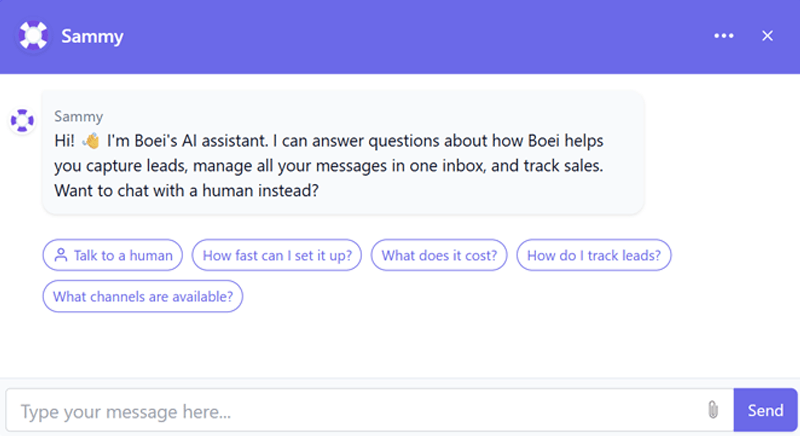
A flexible WordPress AI chatbot plugin is Boei. It can instantly and automatically answer your visitor questions. This can be about your services, prices, products, or policies.
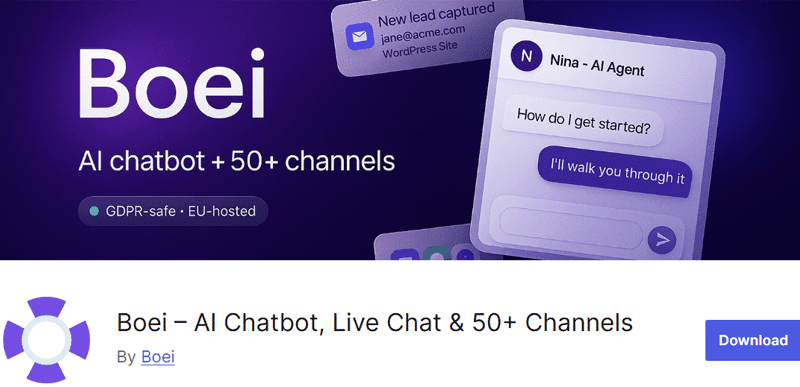
Moreover, it even works as a lead generation plugin. This chatbot naturally collects contact details during conversations. For instance, name, email, phone number, etc.
That’s how it can capture leads in your inbox. Not only that, but it also saves full transcripts and AI-generated summaries about those conversations.
Key Features:
- Supports WooCommerce to let the chatbot train on your product catalog.
- You can use the shortcode “[boei]” to add the chatbot anywhere on a page.
- Automatically handles repetitive questions. Plus, it shares complex user concerns with you by providing full context about them.
- Provide exact answers to certain questions instead of using AI responses. For that, you can bulk import Q&A pairs with the use of an Excel template.
- Supports 50+ contact channels. For example, SMS, email, Telegram, etc.
Pros:
- Choose from OpenAI, Anthropic, Google, or Mistral. You can change models anytime right from your WordPress admin area.
- Compatible with major page builders, themes, and WordPress plugins.
- Auto-identifies the visitor’s language among the supported 95+ languages.
Cons:
- Comparatively, it’s expensive. So, it becomes costly for small websites.
- You must have a Boei account and an external service to run the AI chatbot.
- As a newer plugin, it has a relatively small user group and community.
Pricing:
Likewise, Boei is also a freemium plugin. You can find the free plugin ready to download on the WordPress.org plugin directory.
The following are the premium pricing schemes available for exclusive features:
- Starter: $19/mo, $228/year, 1 site, 1 chatbot, 50+ contact channels, etc.
- Growth: $49/mo, $588/year, 3 sites, 3 chatbots, 700 AI credits/mo, Starter plan features, and more.
- Business: $129/mo, $1548/year, 10 sites, 10 chatbots, 2000 AI credits/mo, Growth plan features, etc.
- Scale: $229/mo, $2748/year, 2500 AI credits/mo, Business features, etc.
5. Chatway Live Chat
Chatway Live Chat is an all-rounder WordPress plugin that offers an AI chatbot, live chat app, FAQ, helpdesk, and chat buttons for customer support. Its AI support agent automatically takes support tickets for you to focus only on complex issues.
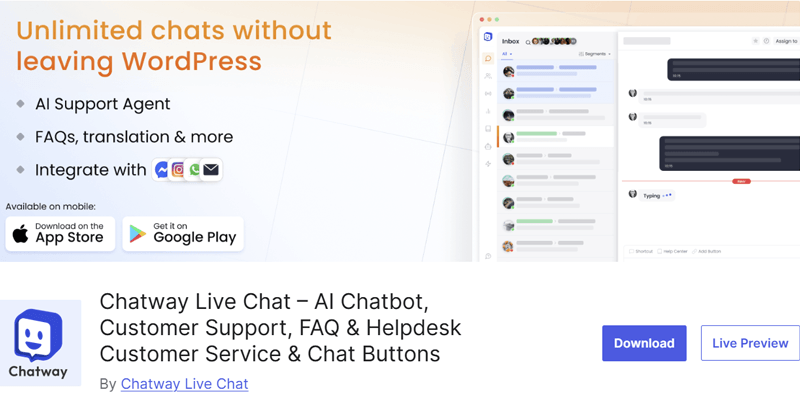
But that’s not all! You can find features for lead generation, customer feedback or surveys, sales support, technical customer support, and user engagement, too.
In fact, you can add rule-based workflows to auto-respond in chats. This helps route conversations to the right agents, trigger follow-ups, add internal notes, etc.
Key Features:
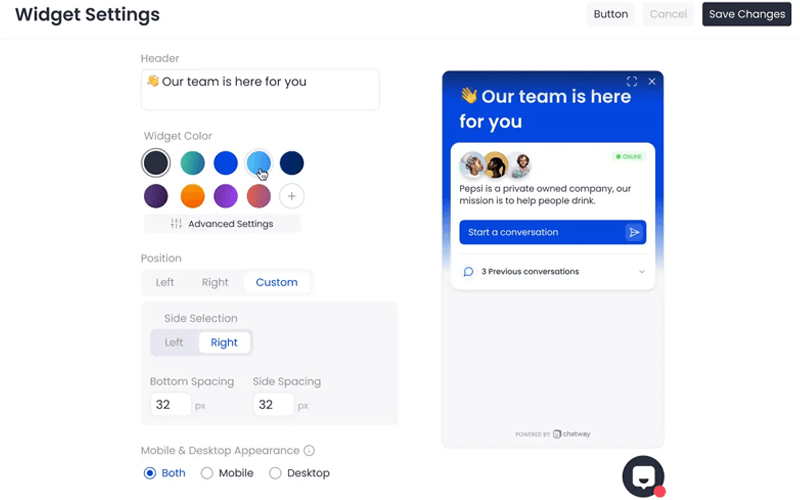
- Build separate live chat widget designs for each site, brand, and channel.
- It allows content and file sharing within chat for improved customer support.
- Live chat analytics to monitor and analyze chats, visitors, and agent actions.
- Offers native mobile apps for iOS and Android to live chat from anywhere.
- The helpdesk live chat popup can gather feedback and survey insights.
- FAQs and live chat also help in increasing WooCommerce sales.
Pros:
- A bigger user base of 30K+ active installations just on WordPress.org.
- Tags and custom data help in easy user segmentation and personalization.
- Supports unlimited live chat conversations and unlimited websites.
- Advanced targeting to show live chat on certain hours, pages, or countries.
Cons:
- You must sign up for an account.
- Stores chat data via an external Chatway platform that you may not prefer.
- It may be costly for small businesses or starters.
Pricing:
Chatway Live Chat is available for free on WordPress.org and its official website. Just install it right in your WordPress dashboard on the plugin section.
For more automation and more features, it offers these paid plans to pick from:
- Solo: $24/mo billed yearly, 1 seat, unlimited chat history, live translation, etc.
- Team: $65/mo billed yearly, 4 seats, automation, workflows, Solo plan features, and more.
- Plus: $119/mo billed yearly, 10 seats, multiple widgets, multiple inboxes, Team plan features, etc.
6. MxChat
If you want a complete WordPress plugin for an AI chatbot, then get MxChat. It’s a no-code platform that adds intelligent chatbots to your site. This automatically captures leads, understands content, and offers top-notch customer support.
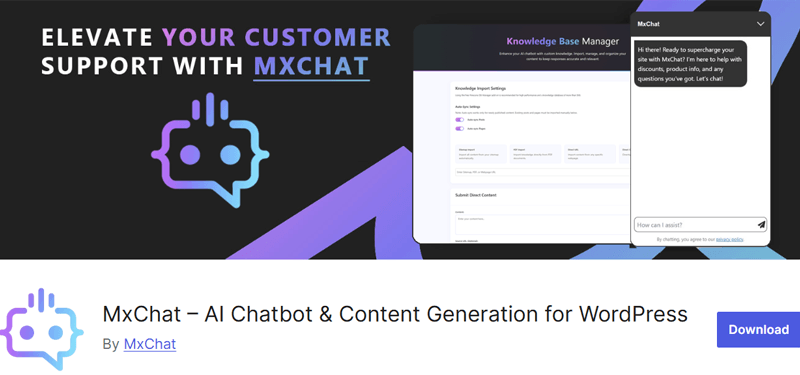
Most of all, this plugin supports 100+ AI models. This involves ChatGPT, Claude, DeepSeek, Grok, and more models.
Plus, it’s filled with AI tools. For instance, it lets the chatbot decide on its own about when it should run based on an enabled action. So, you don’t even have to set it up. You can even use it alongside trigger phrases for function calling.
Key Features:
- Real-time response streaming for Grok, Claude, OpenAI, and DeepSeek.
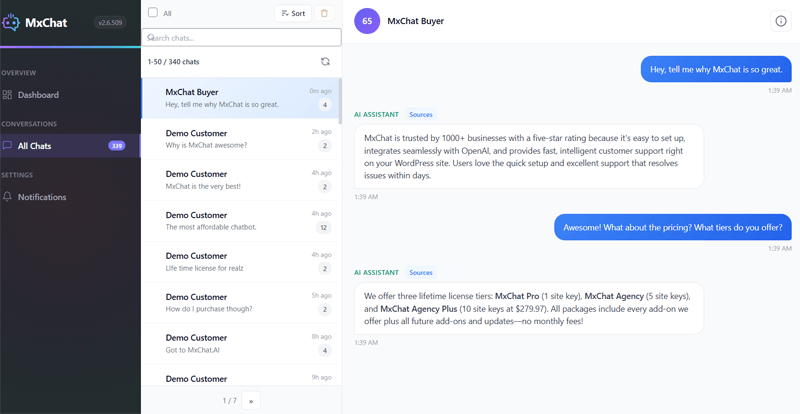
- On the chat transcript dashboard, you can check all conversations and chat history, monitor user engagement, and see knowledge sources used.
- The lead management dashboard shows captured leads with options to filter, export, manage, and view conversations.
- Advanced action recognition that understands user intent to perform actions, like lead capture, appointments, redirections, etc.
- Contains AI content and image generation tools within chat conversations.
Pros:
- The custom chatbot widget is mobile-friendly and adapts to all devices.
- It has an extensive set of add-ons for moderation, forms, customization, etc.
- Offers an intuitive yet familiar interface that makes a good user experience.
Cons:
- Relatively small user base compared with established chatbot plugins.
- Advanced use cases may require more technical configuration.
Pricing:
You can search for and download the free MxChat plugin from WordPress.org. It’s also available on its website and ready to install on your WordPress dashboard.
To get premium licenses, check out these pricing schemes for the plugin:
- Pro: $69.97 for lifetime use, advanced AI models, lead capture forms, etc.
- Agency: $174.97 for lifetime use, 5 licenses, agency-level support, Pro plan features, and more.
- Agency+: $279.97 for lifetime use, 10 licenses, priority agency support, and all the premium features.
7. Tidio Live Chat and AI Chatbots
Another popular WordPress plugin for live chat and AI chatbots is Tidio. With over 70K active installations on WordPress.org, it’s one of the most trusted and reliable AI-powered all-in-one customer support plugins for your website.
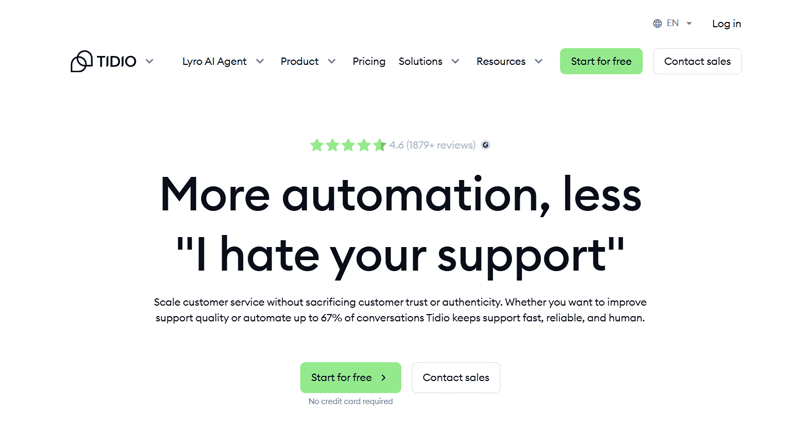
Lyro, its AI chatbot, can instantly resolve up to 70% of customer questions. For that, it learns from your FAQs. Then, it instantly delivers answers to your visitors. With that, you and your team can only focus on complicated queries.
Additionally, you can pick from a wide range of prebuilt chatbot templates. Then, use the visual builder to drag-and-drop elements and create custom chatbots.
Key Features:
- Offers live chat integration to your WooCommerce store. This helps you send product cards, recover abandoned carts, etc.
- Automated triggers lets you start chat conversations as per user behaviors like time on page or exit intent.
- Customize colors, greetings, and placement of the live chat widget to match your brand.
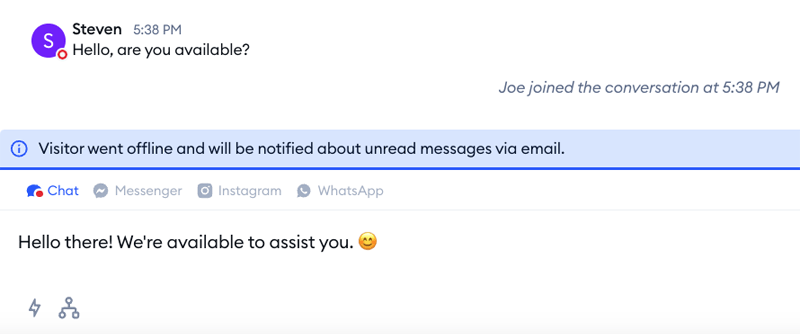
- Provides a simple interface that stores messages from live chat, email, Messenger, and Instagram.
- Instantly routes live chat messages to the right department, team, and agent.
Pros:
- Supports 6 different languages: English, German, Spanish, Italian, French, and Portuguese.
- Contains shortcodes and native WordPress tools to show the chat on pages.
- Lets you sync visitor data and conversations with WordPress user accounts.
Cons:
- It may be expensive for starters in comparison to its competitor plugins.
- Some essential chatbot features are available only in the premium plans.
Pricing:
Similarly, this is also a freemium plugin with both free and premium options. If the free plugin is enough, then install it right from your WordPress admin area.
For the premium version, there are two kinds of plans. One is for customer service and another one for integrating Lyro AI Agent. Check the customer service plans:
- Starter: $24.17/mo, 100 billable conversations, live chat, ticketing, basic analytics, operating hours, and more.
- Growth: $49.17/mo, 250 billable conversations, advanced analytics, automatic reply, Starter plan features, and more.
- Plus: $300/mo, custom billable conversations, ticketing automation, live chat support, Growth plan features, and more.
- Premium: A custom plan with all Plus plan features and additional options, like advanced Copilot, super admin role, etc.
Check out the complete guide on how to add a chatbot to WordPress.
How to Choose the Best AI Chatbot Plugin for WordPress?
You must carefully make a choice even among these handpicked chatbot plugins. The right AI chatbot plugin for your WordPress site depends on what you want it to do. So, make sure to focus on your site type, goals, budget, and flexibility needs.
Check out the scenarios below for picking the best WordPress AI chatbot plugin.
- If you’re a beginner, then select a plugin that’s easy to set up and use. For that, ensure you’ll get a clear interface and ready-to-use chatbot features.
- Let’s say you want the AI chatbot to chat with your site visitors based on your site content. Then, look for a plugin that learns from your pages, posts, or knowledge base to answer questions.
- Suppose you own a WooCommerce store. Then, pick a chatbot with features to help customers find products, guide users toward purchases, etc.
- In case your website focuses on customer support. Check if the AI chatbot can prioritize reliable responses and handle FAQs, conversation history, etc.
- For a lead generation-based website, check if the tool collects user details, qualifies prospects, offers forms, and connects with your mail or CRM.
- Want an AI chatbot that completely matches your brand? Then, pick a plugin with full control over AI models, behavior, appearance, integration, etc.
- A free plugin may be sufficient for your site needs. Check what its message limits and usage restrictions before going for an affordable, low-cost option.
Want help to pick the right AI chatbot for WordPress? Check out the next section to find out some recommendations based on various user needs.
Which Is the Best AI Chatbot Plugin for WordPress?
The best choice depends on your site’s requirements, budget, and the level of AI control you need. However, here are our final thoughts to help you make a choice:
- Best overall: AI Engine or WPBot due to powerful AI features and broad model support.
- Best free option: MxChat for its strong free chatbot for WordPress.
- Best for customization: AI Engine due to its extensive configuration options.
- Best for customer support: Tidio Live Chat or Chataway Live Chat due to the presence of AI automation in live chat.
- Best for beginners: Boei or Hyve due to simple setup and built-in AI support tools.
Conclusion
That’s all we’ve got here!
Each of the WordPress AI chatbot plugins on this list is top-notch on its own. You just need to wisely make a choice based on your requirements.
So, which AI chatbot did you choose and why? Comment below. If you’re still stuck, then mention your queries and get our help.
Meanwhile, check out our blogs on the best AI website builder platforms, the best WordPress AI SEO plugins, and how to rank higher in Google’s AI Overviews.
Lastly, don’t hesitate to follow us on X, LinkedIn, and Facebook for more updates.



Leave a Reply